5.6. ELIZA Interactive Mode
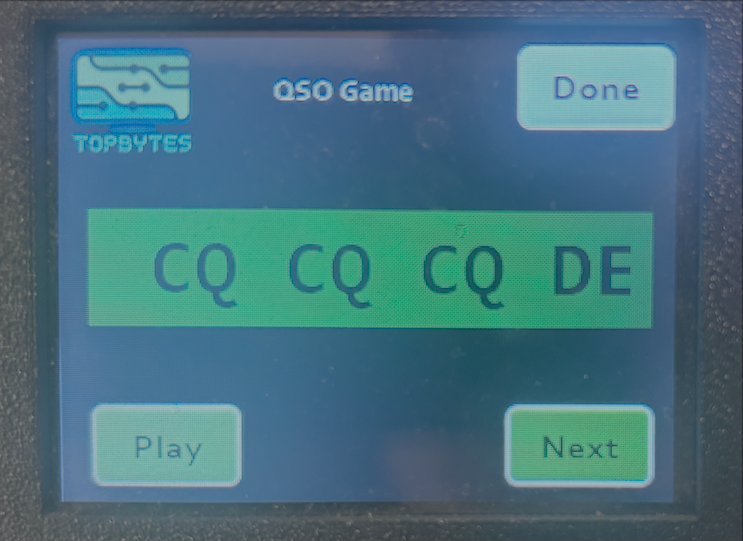
The Morse Trainer includes an interactive ELIZA mode where you can have two-way conversations in morse code.
Touching on the green box where ELIZA is showing what's sent toggles to hide and show the text.
Two Game Modes
- Practice Mode
Free-form conversation without pressure
No scoring or progress tracking
Best for casual practice and conversation skills
Focus on natural QSO flow
- Learning Mode
Structured QSO protocol teaching
Tracks 6 QSO elements: RST, QTH, NAME, RIG, ANT, WX
Visual progress indicators
Transitions to free-form after covering 5/6 elements
Best for beginners learning proper QSO protocol
How It Works
ELIZA sends CQ call:
CQ CQ CQ DE M0GUY M0GUY KYou respond with your callsign: Send your callsign (e.g.,
W1ABCorDE W1ABC)ELIZA greets you: Sends RST, QTH, NAME and asks how you copy
You exchange information: Send your details (location, name, rig, antenna, weather)
Natural conversation: ELIZA responds intelligently to your messages
Sign off: End with
73when ready to finish
Callsign Recognition
ELIZA supports multiple callsign formats:
Standard:
DE W1ABC KSimplified:
W1ABCorM0GUY
If ELIZA can't recognize your callsign, it will respond:
SRI UR CALL NOT COPIED PSE AGN DE M0GUY K
Simply resend your callsign in one of the supported formats.
Response Timing
ELIZA waits for a configurable delay (default 10 seconds) after your last morse input before responding. This mimics natural conversation pacing in real QSOs. You can adjust the ELIZA Response Delay via the web interface (Morse Configuration page).
Aborting Playback
Press the Done button at any time to:
Abort morse playback immediately (within 60-120ms)
Return to main screen
Cancel current transmission
The display and buttons remain responsive even while ELIZA is transmitting morse.
Configuration
- ELIZA Response Delay
Default: 10 seconds
Range: 5-60 seconds
Configure via web interface (Morse Configuration page)
- Farnsworth Spacing
Range: 50-2000ms
Extra spacing between characters for learning
Applies to ELIZA's morse playback
Configure via web interface (Morse Configuration page)
Common QSO Abbreviations
QSO: Contact/conversation
CQ: General call (seeking any station)
DE: "From" (e.g., CQ DE W1ABC)
K: "Over" (invitation to transmit)
BK: "Back to you"
GM/GA/GE: Good morning/afternoon/evening
OM: Old man (fellow ham)
UR: Your/you're
FB: Fine business (great!)
TKS: Thanks
FER: For
CPY: Copy (understood)
HW: How
RST: Readability-Signal-Tone (signal report)
599: Perfect signal
QTH: Location
WX: Weather
ANT: Antenna
RIG: Radio equipment
73: Best regards (end of conversation)
SK: End of contact